AI for Business
Customer Service Automation for Small Business: What To Automate and What To Never Touch

By Tiffani, Founder & U.S. Army Veteran
· 8 min read
You already know what bad automation feels like. The phone tree that loops. The bot that answers a question you didn't ask. The “we value your call” message playing for the ninth minute.
That's why a lot of small business owners refuse to automate anything. Which is understandable, and also expensive, because it means you personally answer “what are your hours?” six times a day for the rest of your life.
The problem was never automation. It was automating the wrong half of the job.
The Line: Repetitive and Factual vs. Nuanced and Human
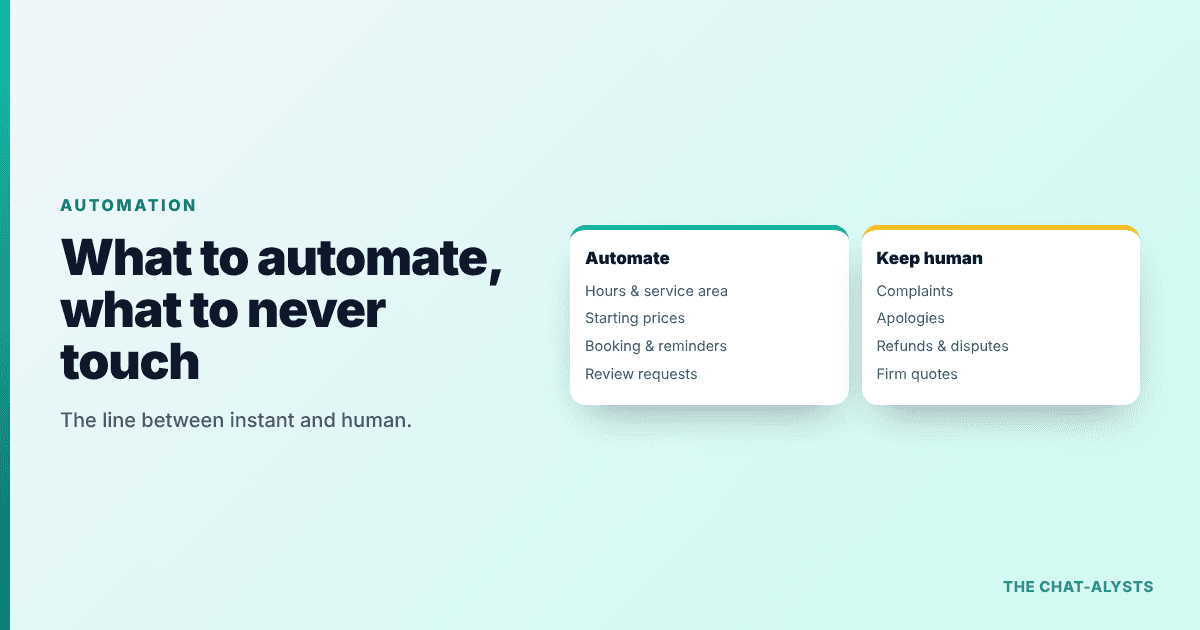
Here's the test. If the answer is the same every single time and lives in a document somewhere, automate it. If the answer depends on judgment, emotion, money on the line, or a relationship, keep it human.
This isn't just a nice principle, it's what the research says too. Gartner predicts that by 2028 none of the Fortune 500 will have fully eliminated human customer service, and that by 2027 half the organizations planning large AI-driven service cuts will abandon them. Gartner notes AI handles routine, well-defined problems well but struggles with exceptions and high-risk situations.
In other words, the companies with the biggest automation budgets on earth are keeping humans. So should you.
Automate These First
Start where the volume is highest and the stakes are lowest:
- Hours, location, parking and service area questions
- Pricing basics: starting prices, what's included, payment methods accepted
- Appointment booking, rescheduling and reminders
- “Do you do X?” service questions, answered straight from your own service list
- Appointment confirmations and follow-up messages after a job
- Review requests sent automatically after service
- After-hours lead capture, so nobody who visits at 10pm leaves without being asked for their number
Every one of these is identical every time. Every one costs you or your staff minutes that add up to hours a week.
Never Automate These
Some things should always have a human attached, and automating them does real damage:
- An angry customer or a complaint. A canned reply to a real grievance makes it worse, every time.
- Medical, legal or financial advice of any kind. Route it to a licensed human.
- A firm quote on work nobody has looked at yet.
- Apologies for a mistake you made. That's a phone call from you.
- Anything involving a refund, a dispute or a cancellation with money attached.
- The final conversation on a large sale, where someone wants to be reassured by a person.
A good automated system knows these are off-limits and hands them to you quickly, with the context already collected, so you start the conversation already informed.
Why Customers Are Fine With This
The fear is that automation feels cold. The data says customers care far more about speed than about who answers.
Zendesk's 2025 CX Trends report, surveying about 5,100 consumers, found 67% are ready to hand everyday tasks over to AI, and 63% would switch to a competitor after just one bad experience. Waiting until tomorrow for an answer about your hours is the bad experience.
And you wouldn't be early to this. The U.S. Chamber of Commerce reports 58% of small businesses already use generative AI in some form.
Where To Start: One Channel, One Week
Don't buy a platform. Don't restructure anything. Do this instead:
- Write down every question you answered this week. Just a running list on your phone.
- Circle the ones that came up three or more times. That's your automation list, and it's usually eight to twelve questions.
- Pick the channel where most of them arrive. For most local businesses that's the website, not the phone.
- Automate those questions there, with an easy path to reach a human.
- Check the transcripts after two weeks and fix anything it got wrong.
That's it. The list of repeat questions is the entire project, and you already know it by heart.
How To Tell If It's Working
Don't judge automation by how clever it sounds. Judge it by three numbers you can check yourself after a month.
- Leads captured outside business hours. These are people who previously left without a trace, so anything above zero is new money.
- Time you got back. Count the repeat questions you no longer answer personally, then multiply by the minutes each one used to cost you.
- Handoffs that reached you properly. Every complaint, refund request or complicated question should have landed with a human quickly, with the details already collected.
If after-hours leads went up, your time went up and nothing important got stuck in a bot, it's working. If customers are repeating themselves or asking to speak to a person twice, the configuration is too aggressive and needs loosening.
What This Looks Like in Practice
A homeowner lands on a plumber's site at 9pm. The assistant confirms the service area, explains the after-hours fee, takes the name, phone and address, and flags it as urgent. The plumber wakes up to a qualified job instead of an empty inbox.
A salon client asks about pricing at midnight. The assistant explains the starting price and what's included, then sends her to the booking calendar. She books a Saturday slot that would otherwise have gone to a competitor.
A caller has a complaint about a previous visit. The assistant doesn't try to solve it. It apologizes briefly, takes the details, and flags it for the owner to call personally. That's the system working correctly.
More examples of this in action: chatbot examples for small business and how to get more leads from your website.
Start With the Easiest Piece, Free
The website is where the repeat questions pile up and where visitors disappear quietly. I'll build an AI assistant trained on your website, free, so you can see how it handles your real questions before you commit to anything.
No contract, no credit card. Request the Free 7-Day Live Website & Missed-Call Demo built in 24 hours at chat-alysts.com. It takes about 20 seconds.
Want to See Your Own Chat Assistant in Action?
I'll build a free 7-day live website and missed-call demo on your business within 24 hours, so you can test it before you spend a dime.
Free 7-Day Live Website & Missed-Call Demo built in 24 hours →Frequently Asked Questions
What is customer service automation? +
Using software to handle the repetitive parts of customer communication, such as answering common questions, booking appointments, sending reminders and capturing leads, so your team only handles the conversations that need a person.
What should a small business automate first? +
The questions you answer most often: hours, service area, starting prices and availability, plus after-hours lead capture on your website.
What should never be automated? +
Complaints, apologies, refunds and disputes, firm quotes on work nobody has inspected, and any medical, legal or financial advice.
Will automating customer service annoy my customers? +
Only if it blocks them from reaching a human. Automation that answers instantly and offers an easy handoff tends to improve satisfaction, because the alternative is usually waiting until tomorrow.
Do I need expensive software to automate customer service? +
No. Most local businesses get the biggest return from one well-configured assistant on their website, which costs a flat monthly fee and installs with a single line of code.
Sources & Further Reading

About the Author
Tiffani
Founder of The Chat-alysts & U.S. Army Veteran
Tiffani is a U.S. Army veteran and local service business owner who builds custom AI chat assistants for small businesses. She knows exactly what it's like to miss a lead while you're out doing the work.